

Download Ecofont Home Edition – Free, Secure, Eco-Friendly Ink-Saving Software for Windows & Mac
Ecofont Home Edition is a smart, lightweight software add-on designed to help home users and small office professionals reduce ink consumption when printing documents. By subtly altering standard fonts like Arial, Calibri, Times New Roman, Verdana, and Trebuchet, Ecofont Home Edition embeds tiny dots inside each letter, reducing the ink coverage by up to 20%. This innovative approach allows you to print drafts, internal notes, and proof copies without wasting precious toner or ink.
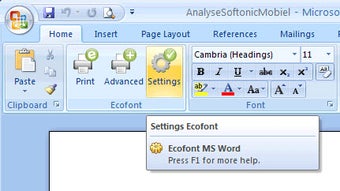
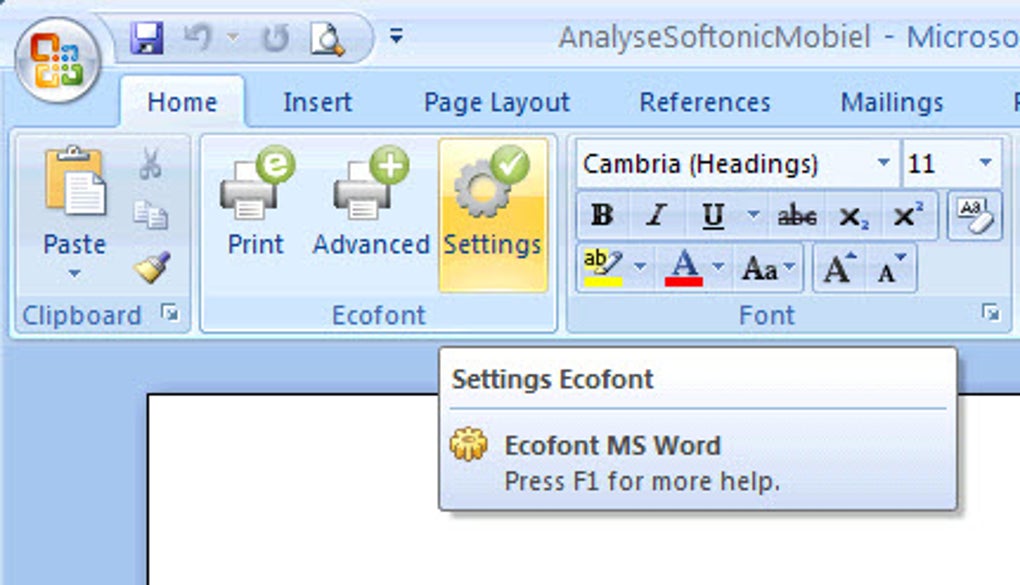
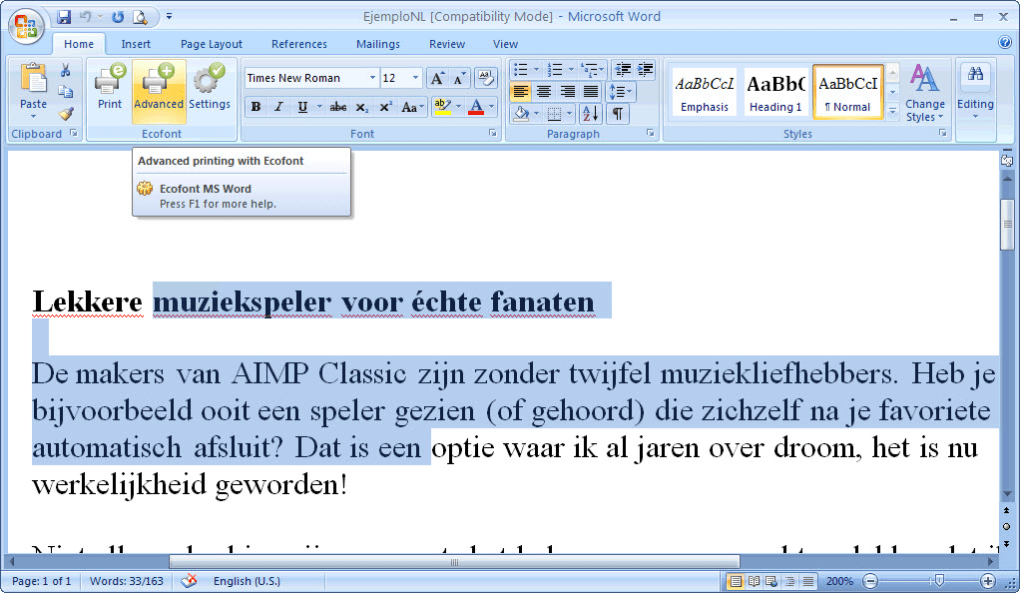
The software integrates seamlessly with Microsoft Word, appearing as an optional print function, making it incredibly easy to use. Whether you're a student, remote worker, or budget-conscious professional, Ecofont Home Edition helps you save money and contribute to environmental sustainability—all while maintaining readability. The tool is completely free, secure, and regularly updated to ensure compatibility with the latest versions of Windows and macOS.
With an additional print-to-PDF option, you can also share digital versions of your documents without any ink usage at all.
Key Features of Ecofont Home Edition
Ecofont Home Edition stands out in the world of productivity tools thanks to its innovative yet simple approach to reducing printing costs. One of its most impressive features is the patented ink-saving font technology. Instead of using solid black letters, Ecofont replaces parts of the characters with small, strategically placed dots. This subtle design change reduces ink usage by up to 20% per page—meaning thousands of pages saved over time. For users printing hundreds of documents monthly, this translates into significant cost savings and a smaller carbon footprint.
The software integrates directly into Microsoft Word, appearing as a new print option. This means you don’t need to switch programs or reformat your entire document—just select Ecofont from the print menu, and your document prints with the ink-saving font. The customization options are minimal but effective: you can adjust the dot size and spacing to balance ink savings with readability. This is particularly useful for users who need to print documents that will be reviewed by others, ensuring clarity without sacrificing sustainability.
Another standout feature is the built-in print-to-PDF function. This allows users to create high-quality digital copies of their documents without using a single drop of ink. It’s ideal for sharing files via email, cloud storage, or collaborative platforms.
The software is also fully compatible with both Windows and Mac operating systems, making it accessible to a wide range of users. With no ads, no watermarks, and no hidden fees, Ecofont Home Edition delivers a clean, distraction-free experience. Regular updates ensure ongoing compatibility with new versions of Word and operating systems, keeping your workflow smooth and efficient.
Installation & Usage Guide for Ecofont Home Edition
Installing Ecofont Home Edition is a straightforward process that takes less than five minutes. First, visit the official Ecofont website and download the installer file tailored to your operating system—Windows or Mac. The download is completely free and secure, with no bundled malware or third-party software. Once downloaded, run the installer and follow the on-screen prompts. The setup wizard guides you through the process, automatically detecting your Microsoft Word installation and integrating Ecofont as a print option.
After installation, open any document in Microsoft Word. When you click File > Print, you’ll notice a new option labeled “Ecofont Home Edition” in the printer list. Select it, and your document will be printed using the ink-saving font. You can also access customization settings by clicking the “Settings” button in the print dialog, where you can fine-tune the dot density and spacing. For users who prefer digital sharing, simply choose “Print to PDF” from the same menu to generate a file without printing.
Using Ecofont is especially beneficial for draft printing—such as proofreading, editing, or internal reviews—where high-quality output isn’t necessary. It’s also perfect for students preparing multiple drafts or remote workers sending frequent updates. The software runs quietly in the background, consuming minimal system resources. No restarts or reboots are required, and the integration with Word is seamless. With Ecofont, you’re not just saving ink—you’re adopting a more sustainable printing habit with zero learning curve.
Compatibility & System Requirements
Ecofont Home Edition is designed to work across a wide range of devices and operating systems. It is fully compatible with Windows 7, 8, 10, and 11, as well as macOS 10.13 (High Sierra) and later versions. Whether you’re using a desktop, laptop, or tablet with a compatible setup, Ecofont Home Edition will integrate smoothly with your existing workflow.
The software requires minimal system resources, making it suitable for older machines as well. A standard installation takes up less than 50 MB of disk space, and the application runs efficiently in the background without slowing down your computer. It supports all major versions of Microsoft Word, including Word 2010, 2013, 2016, 2019, and Microsoft 365. If you’re using a cloud-based version of Word via the web, Ecofont may not be available, but it works perfectly on the desktop application.
For users with multiple printers, Ecofont Home Edition allows you to select it as your default print option for specific devices. This flexibility is ideal for shared office environments or home setups with different printing needs. The software is also safe to use on business systems—many small and medium enterprises use it to reduce operational costs. With no licensing fees, no trial periods, and no expiration, Ecofont Home Edition is a long-term solution for anyone serious about sustainable printing.
Pros and Cons of Ecofont Home Edition
- Pros:
- Reduces ink usage by up to 20% per page
- Completely free and secure with no hidden costs
- Seamless integration with Microsoft Word
- Simple print-to-PDF functionality for digital sharing
- Available for both Windows and Mac users
- Lightweight and low system resource usage
- Regular updates for compatibility and performance
- Cons:
- Only works with desktop versions of Microsoft Word (not web versions)
- May slightly affect readability for users with visual impairments
- Customization options are limited compared to full font editors
- Best suited for draft printing, not final high-quality outputs
- Requires manual selection of the Ecofont print option
FAQ – Frequently Asked Questions
-
Is Ecofont Home Edition really free to download and use?
Yes, Ecofont Home Edition is completely free for personal and non-commercial use. There are no trial periods, no ads, and no hidden fees. You can download, install, and use it indefinitely without restrictions.
-
Can I use Ecofont with other word processors besides Microsoft Word?
Currently, Ecofont Home Edition is designed specifically for Microsoft Word. It does not support Google Docs, LibreOffice, or other word processing software. However, the print-to-PDF feature works across all applications.
-
Does using Ecofont affect the quality of my printed documents?
The ink-saving font is designed to maintain readability. While the letters contain small dots, they remain legible for most users. However, for final printed copies that require high clarity, it’s recommended to use standard fonts instead.
-
How much money can I save with Ecofont Home Edition?
On average, users save around 15–20% on ink per page. If you print 100 pages per month, this could amount to $5–$10 in savings monthly, depending on your printer and ink costs. Over a year, that’s $60–$120 saved.
-
Is Ecofont Home Edition safe to install on my computer?
Yes, Ecofont Home Edition is safe and secure. It’s distributed through the official website and has been tested for malware. No personal data is collected, and the software does not modify system files or registry entries.
Conclusion: A Smart Choice for Eco-Conscious Printers
If you’re looking for a simple, effective way to reduce printing costs and minimize environmental impact, Ecofont Home Edition is an excellent choice. It’s a free, secure, and easy-to-use tool that delivers real savings without compromising on usability. Whether you're a student, freelancer, or home office user, this software helps you print smarter—especially for drafts and internal reviews. The seamless integration with Microsoft Word, combined with the print-to-PDF feature, makes it a versatile addition to your digital toolkit.
With support for both Windows and Mac, regular updates, and a clean, no-frills interface, Ecofont Home Edition proves that sustainability and efficiency can go hand in hand. While it’s not ideal for final high-quality prints, its strengths in cost-saving and eco-friendliness make it a must-have for anyone serious about responsible printing.
Ready to save ink and money? Download Ecofont Home Edition today and start printing more sustainably!







